

M E Z I V O

Loading

With Mezivo, your QR menu is ready in minutes

Turn your menu into a digital experience and update prices, items, and promotions instantly.

7-day free trial
No credit card required
Setup in 5 minutes
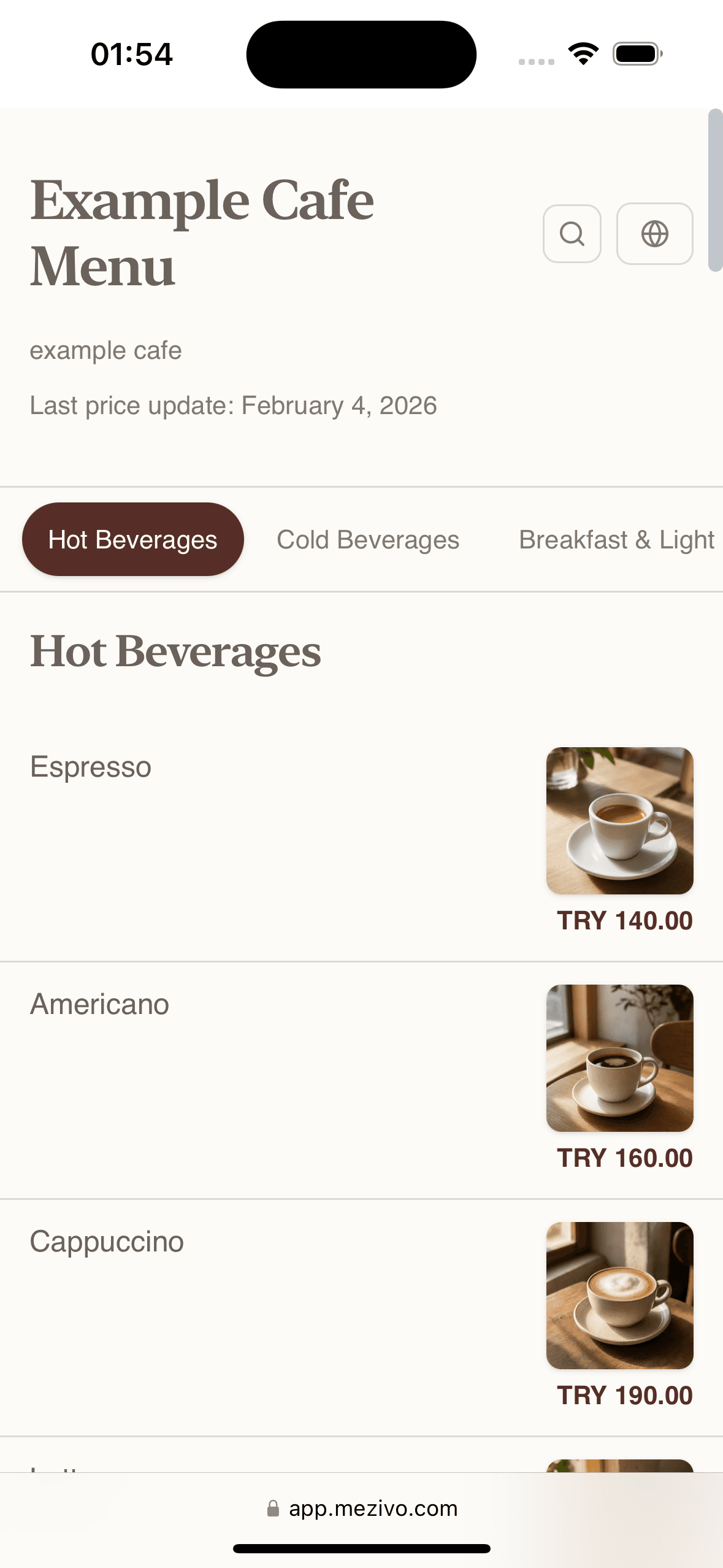
Screenshot 2026 04 27 At 12.22.46

AI Generated

Auto translations

QR Code

Instant access

Live Updates

Menu changes in seconds

Drag & Drop

Reorder items instantly
Powerful Features

Everything you need to create the perfect menu

Designed for restaurant owners who want control, flexibility, and a professional digital presence.

Custom QR Codes

Mobile Optimized

Easy Editing

Multi-language

Powered by AI

Let AI do the heavy lifting

Our intelligent tools help you create, translate, and visualize your menu faster than ever before.

Before: Simple input

Carbonara pasta

After: AI-enhanced description

Spaghetti Carbonara

Popular Contains: Eggs, Dairy

Works with any input

Upload a photo, paste text, or just type the dish name. Our AI handles the rest.

Try AI Generation

Choose the right plan for you

Choose an affordable plan packed with the best features to engage your target audience, build customer loyalty, and increase your sales.

Monthly Yearly
Loading...
Simple Process

Go live in 4 simple steps

No technical skills required. Most restaurants are up and running in under 5 minutes.

1

Add Your Menu

Upload your existing menu, type it in, or let AI generate it from photos.

Import from PDF/Image Manual entry AI assistance
2

Customize Design

Choose colors, fonts, and layouts that match your restaurant's brand.

Color themes Grid layouts Custom fonts
3

Generate QR Code

Get your unique QR code instantly. Print it or display it digitally.

Custom QR design Multiple formats Analytics
4

Go Live

Your menu is live! Update anytime - changes appear instantly.

Instant updates No reprinting Real-time analytics
Step 1

Add Your Menu

Upload your existing menu, type it in, or let AI generate it from photos.

  • Import from PDF/Image
  • Manual entry
  • AI assistance
Step 2

Customize Design

Choose colors, fonts, and layouts that match your restaurant's brand.

  • Color themes
  • Grid layouts
  • Custom fonts
Step 3

Generate QR Code

Get your unique QR code instantly. Print it or display it digitally.

  • Custom QR design
  • Multiple formats
  • Analytics
Step 4

Go Live

Your menu is live! Update anytime - changes appear instantly.

  • Instant updates
  • No reprinting
  • Real-time analytics

Ready to get started?

Create your menu now
QR Menu FAQ

Frequently Asked Questions about QR Menu

Find quick answers about setup, trial, updates, translations, AI visuals, and QR Menu examples.

No. You do not need to enter credit card information to start trying Mezivo QR Menu. You can create your account and immediately start preparing your menu, adding products, and testing the digital menu experience.

Yes. You can try Mezivo QR Menu free for 7 days. During this period, you can create your menu, review the design, test product and category edits, and see whether it is suitable for your business.

Yes. You can update products, prices, descriptions, categories, images, and campaigns from the panel whenever you want. Once the changes are published, guests see the most up-to-date information when they open the QR menu.

Yes. Mezivo QR Menu can be used by restaurants, cafes, hotels, hotel restaurants, bars, and similar businesses. Thanks to its category structure, visual menu layout, multilingual use, and easy update features, it adapts to different types of businesses.

Yes. With Mezivo, you can offer your QR menu in multiple languages. This feature is especially useful for restaurants, cafes, and hotels that welcome tourists; guests can browse the menu more comfortably in their own language.

Yes. When you do not have product photos, you can create images for menu items with artificial intelligence. This makes your digital menu richer, more visually impressive, and easier for guests to understand.

Yes. Before creating your own QR menu, you can review sample menus and demo pages. This allows you to evaluate the digital menu experience your guests will see in advance and choose the most suitable design approach for your business.

Ready to transform your menu?

Join thousands of restaurants already using Mezivo. Start your free trial today - no credit card required.

Setup in 5 minutes
No credit card required
7-day free trial

Start your free trial

7 days free, no credit card
Try free