

Guest Experience Pages

Every guest question, answered on one page

The welcome book, info folder and concierge card — replaced by a branded page guests open with one QR scan. Wi-Fi, house rules, local guides, crew and safety info, in every language, with no app to download and nothing left out of date.

Try for free

No app for guests. No code for your team.

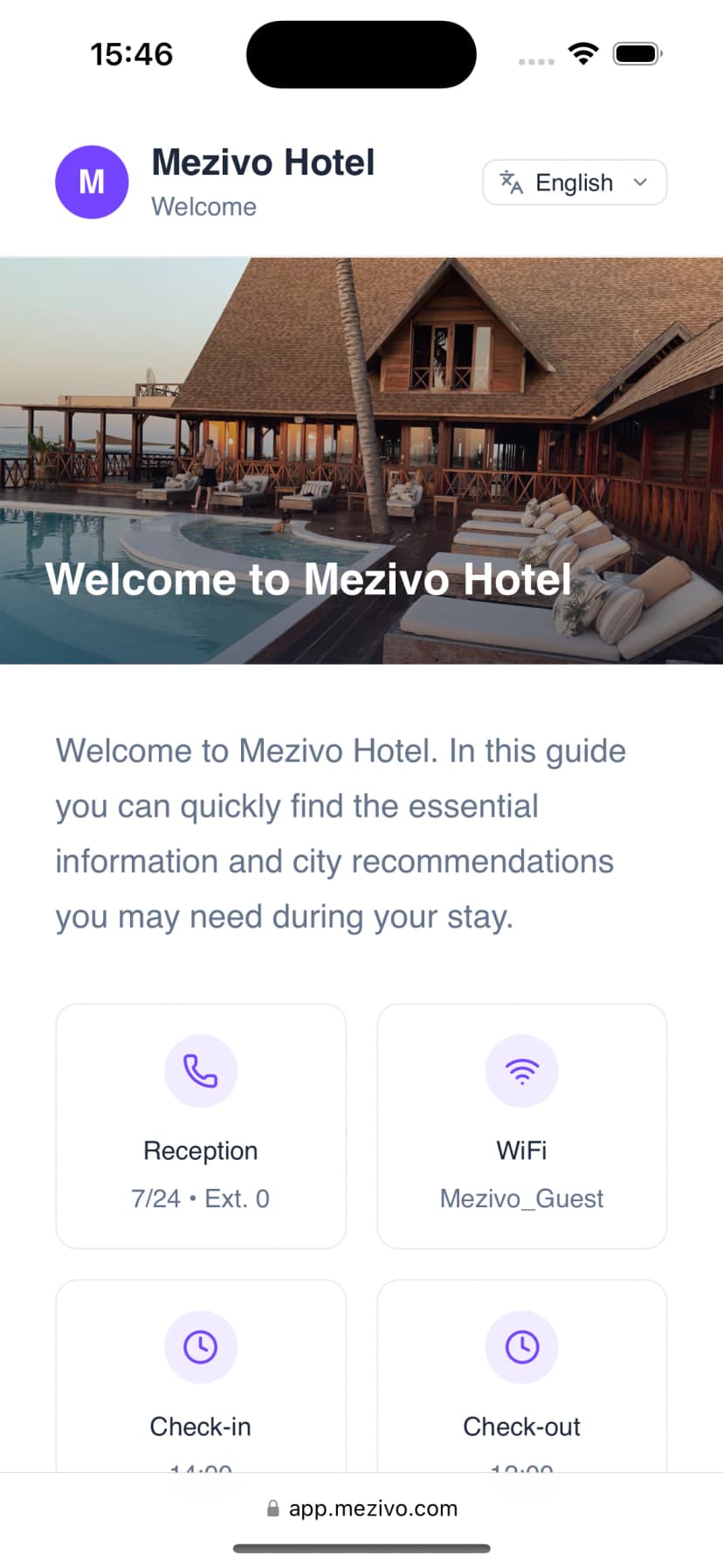
A Mezivo guest page on a phone: hotel welcome image above reception, Wi-Fi and check-in cards

Open live example

Why it exists

Printed welcome books age the day you print them

Guest information lives scattered across laminated cards, info folders and the front desk’s patience. A Guest Experience Page puts it in one place your team can change in minutes.

Out-of-date print

A new spa schedule, a changed Wi-Fi password, a closed pool — every change means reprinting, or worse, wrong information in the room.

The same ten questions

“What’s the Wi-Fi?” “When is breakfast?” “Where should we eat?” — your team answers them dozens of times a day, in languages they may not speak.

Problems surface too late

A guest who couldn’t find anything doesn’t complain at the desk — they mention it after checkout, where you can no longer fix it.

Content blocks

Built from blocks, shaped to your property

Pick what your guests need — tap a block to see what it does. Hotel and yacht templates arrange them for you; everything stays rearrangeable.

Hotel · Yacht

Welcome message

Greet guests, set the tone, and point them to what matters first.

  • Branded hero with your photography
  • Short welcome from the host or captain
  • Quick links to the most-asked cards
Welcome message
Welcome to Hotel MeltemWe’re glad you’re here — start below
Meet your hostsA note from the family

How it appears on the guest page

What makes it work

More than a page of text

Tap-to-open hub

A hub of cards, not a wall of text

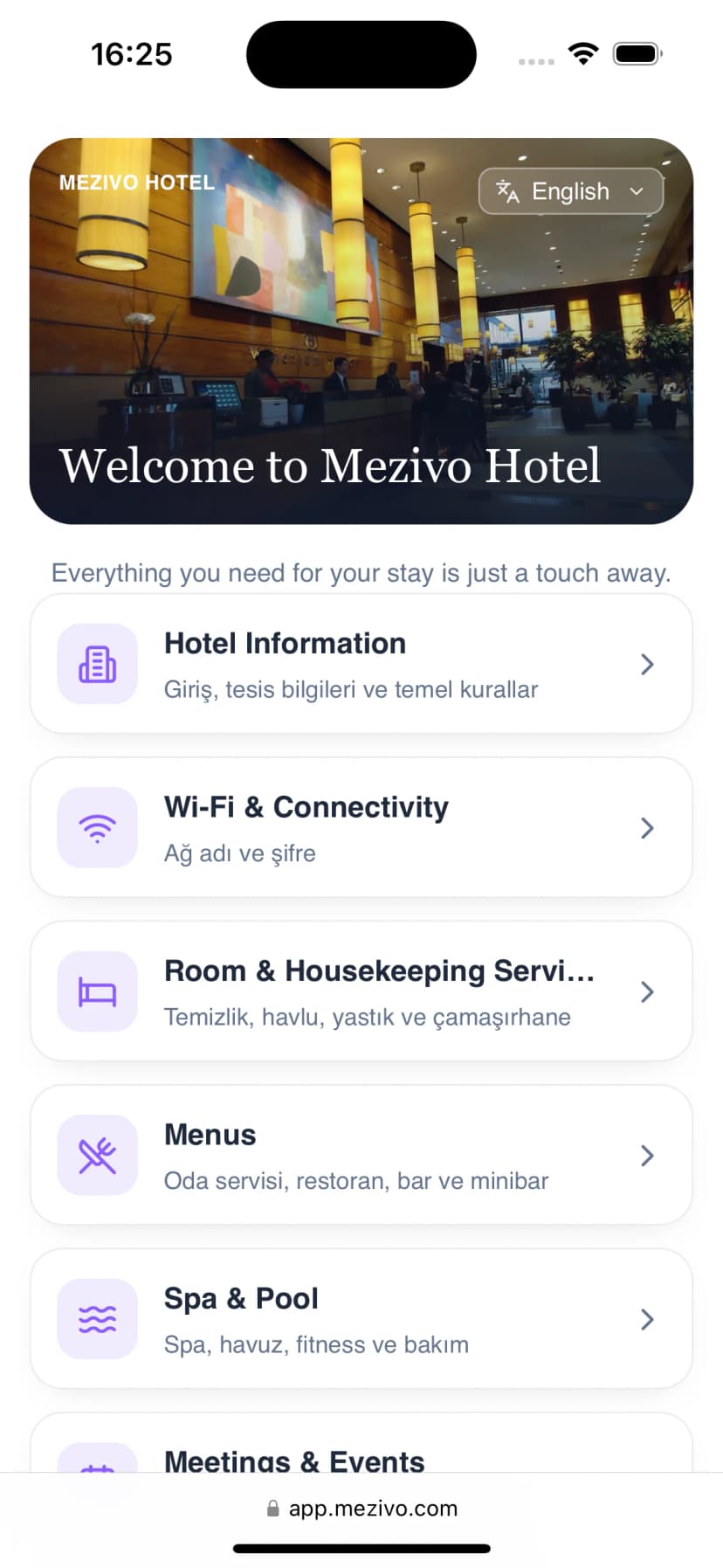
Guests land on branded cards they actually tap — information, places, review links and feedback — instead of scrolling a laminated PDF. Each card opens in place, instantly.

  • Opens from a QR scan or a link — no app, no login
  • Your colors, fonts, logo and photography
  • Cards can link out — menus, WhatsApp, phone, any URL
Wi-Fi & essentials
Local places

Wi-Fi & essentials

Network Meltem-Guest · Password bluebay2026 · Check-out 12:00

Tap a card → it opens as a sheet, right on the page
In-page guides

Local guides with search, maps and video

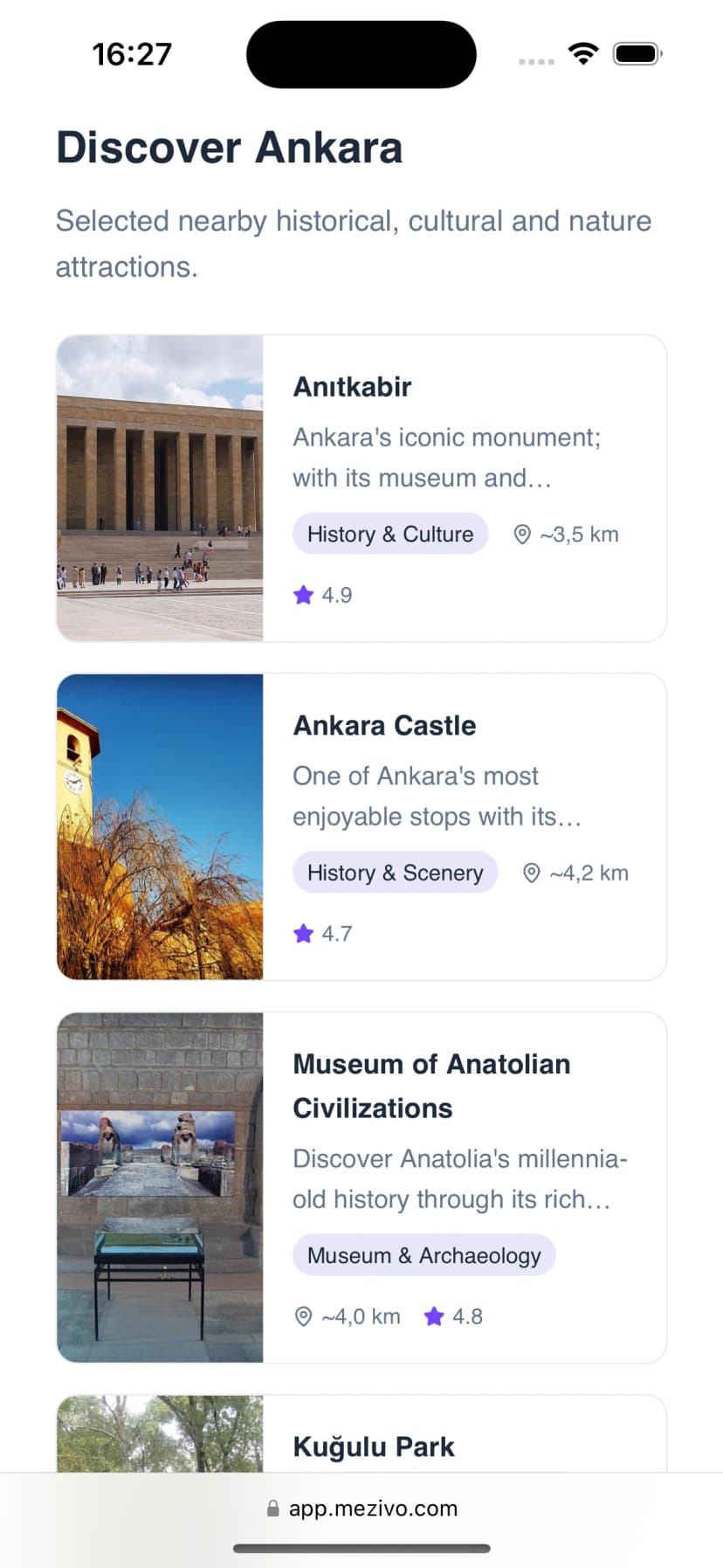
Turn your concierge’s knowledge into a searchable catalog. Each guide opens as a detail sheet with a map and YouTube video, and any card on the page can deep-link straight to it.

  • Searchable catalog of places, routes and tips
  • Detail sheets with maps and video
  • Deep links from any card or button on the page
lagoon
Blue Lagoon · 25 min by boat
Watch: Blue Lagoon by boat2:40 · plays in the page

Multilingual

Every language your guests arrive in

Build the page once in your main language. AI translates every text on the page in one pass, your team reviews and edits each field, and guests switch language right on the page. Try it — tap a language.

  • AI drafts, your team approves — nothing publishes unreviewed
  • Add or remove languages any time
  • Guests pick their language on the page itself

Amenities · Pool

Pool & deck bar

Open 08:00–20:00. Towels are at the deck bar — just show your room card.

One page, one QR — the language changes, the link doesn’t.

Hub-card feedback

Hear about problems before checkout — not in reviews

A feedback card lets guests send a 1–5 score and a message while they’re still your guests. It lands in a private inbox for your team — it is never published, and guests never need an account.

  • Private to your staff — not a public review platform
  • No guest name, email or account required
  • Bot-protected submissions (Cloudflare Turnstile)
Guest feedbackStaff only
★★★★★Room card · English · today 14:20“Lovely stay — the rooftop tip was perfect.”
★★★★★Pool card · German · today 11:05“Pool towels ran out by 10am.”

Fixable today — instead of a 3-star review next week.

No-code builder

Built by your team, not a developer

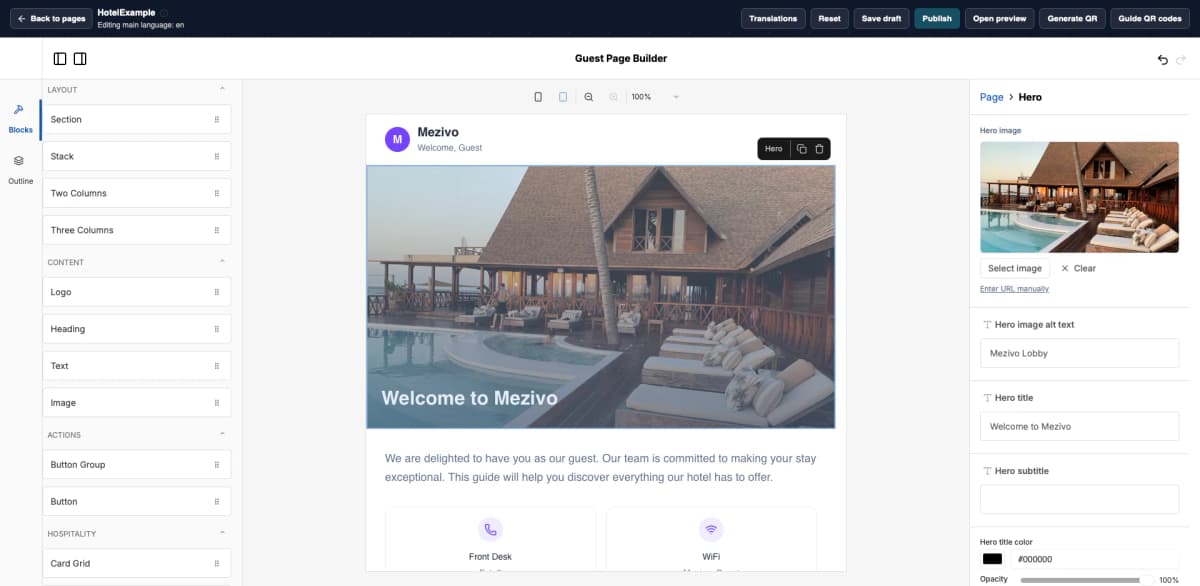
Compose the page visually: drag blocks, restyle colors and fonts, preview on phone and tablet, then publish. Drafts never touch the live page, and your QR code is generated the moment you’re ready.

  • Hotel, hub and yacht templates to start from
  • Draft → preview → publish, safely separated
  • Branded page QR generated in the same workflow
The Mezivo page builder on desktop: block palette on the left, live page preview in the middle, hero settings panel on the right

The welcome book, the info folder and the concierge card — one QR code that is never out of date.

For charters & yachts

The same page, at sea

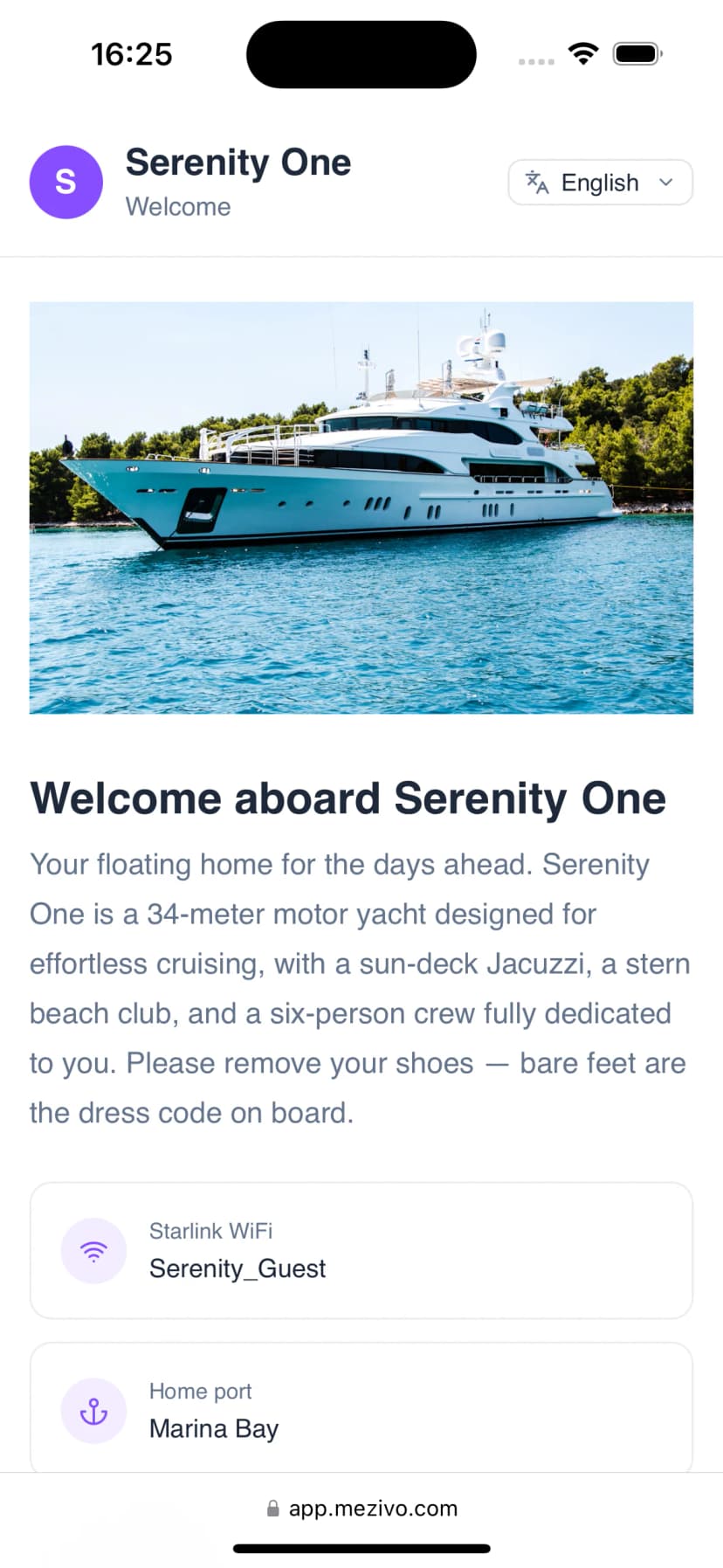
Before the lines are cast off, guests already know their crew, the route, and what to do in an emergency — from one QR code in the salon.

Mezivo for boats
  • Crew & specificationsIntroduce the captain and crew; document the vessel
  • Itinerary & covesDay-by-day route, anchorages and swim stops
  • Safety & emergency contactsBriefing, muster point and who to call — always current
  • Dining & galley menusTonight’s menu and dietary notes, updated by the chef

How it works

Live before the next check-in

1

Pick a template

Hotel guide, tap-to-open hub, or yacht charter pack — a finished starting point, not a blank canvas.

2

Fill your blocks

Drag, edit and restyle content blocks in the visual builder. No developer needed.

3

Add languages

AI drafts every translation in one pass; your team reviews and approves before anything goes live.

4

Publish & print the QR

Preview, publish, and place your branded QR in rooms, the lobby or the salon. Updates never change the code.

FAQ

Common questions

No. Guests scan a QR code or open a link and the page loads in their browser — branded, mobile-first, and instant. There is nothing to install and no account to create.

Give every guest the answers before they ask

Set up your Guest Experience Page in the same Mezivo panel your team already uses — and retire the welcome book for good.

Try for free